XD HUD V3 — A Complete and Fully Customizable HUD for FiveM
XD FiveM HUD V3 is a modern, feature-complete heads-up display built for FiveM servers that care about presentation, performance, and player freedom. It replaces the cluttered, one-size-fits-all interfaces that so many servers rely on with a clean, refined HUD that every player can shape to their own preference — without ever touching a configuration file. Best of all, it is released completely free.
Designed with both serious roleplay communities and high-action servers in mind, XD FiveM HUD V3 strikes the balance between looking premium and staying lightweight. From the status bars that track a player’s
wellbeing to the vehicle dashboard that comes alive the moment they get behind the wheel, every element has been crafted to feel polished, responsive, and genuinely enjoyable to use.
Eleven Distinct Status HUD Styles
At the heart of any HUD are the player status indicators, and XD FiveM HUD V3 gives you an exceptional amount of choice here. Health, armour, hunger, thirst, stress, and stamina are all displayed clearly, and
players can switch between eleven completely different visual styles on the fly: Hexagon, Circle, Circle v2, Circle v3, Circle v4, Square, Square v2, Wave, Regular, Simple, and Simple v2.
Each style carries its own personality, from bold geometric segments to soft, understated bars that fade into the background until they are needed. Every colour is fully customizable, allowing the HUD to
be tailored to match your server’s branding, theme, or aesthetic down to the finest detail. Whether your community prefers a loud, gamified look or a minimal, cinematic one, there is a configuration to suit
it.
Six Vehicle Dashboard Layouts
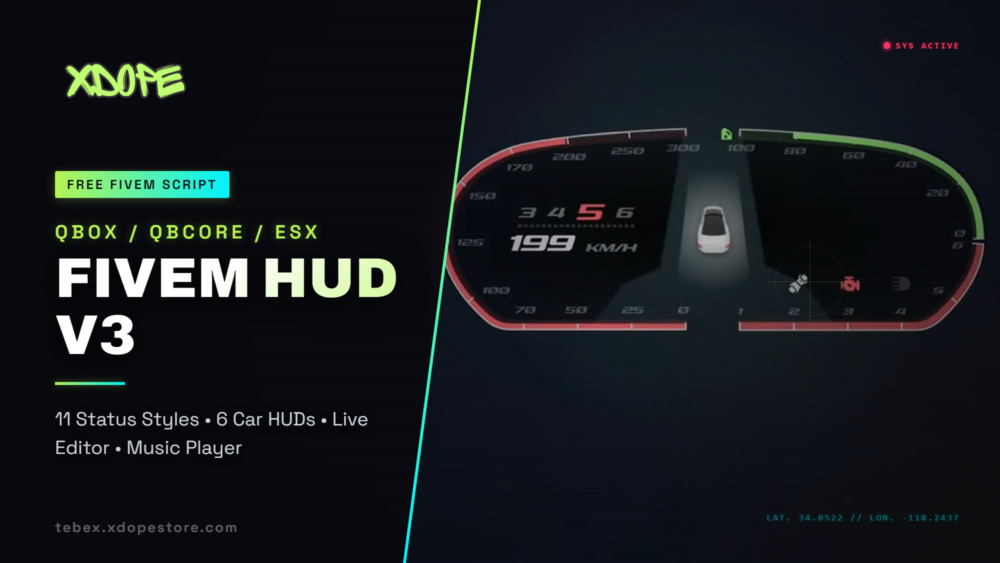
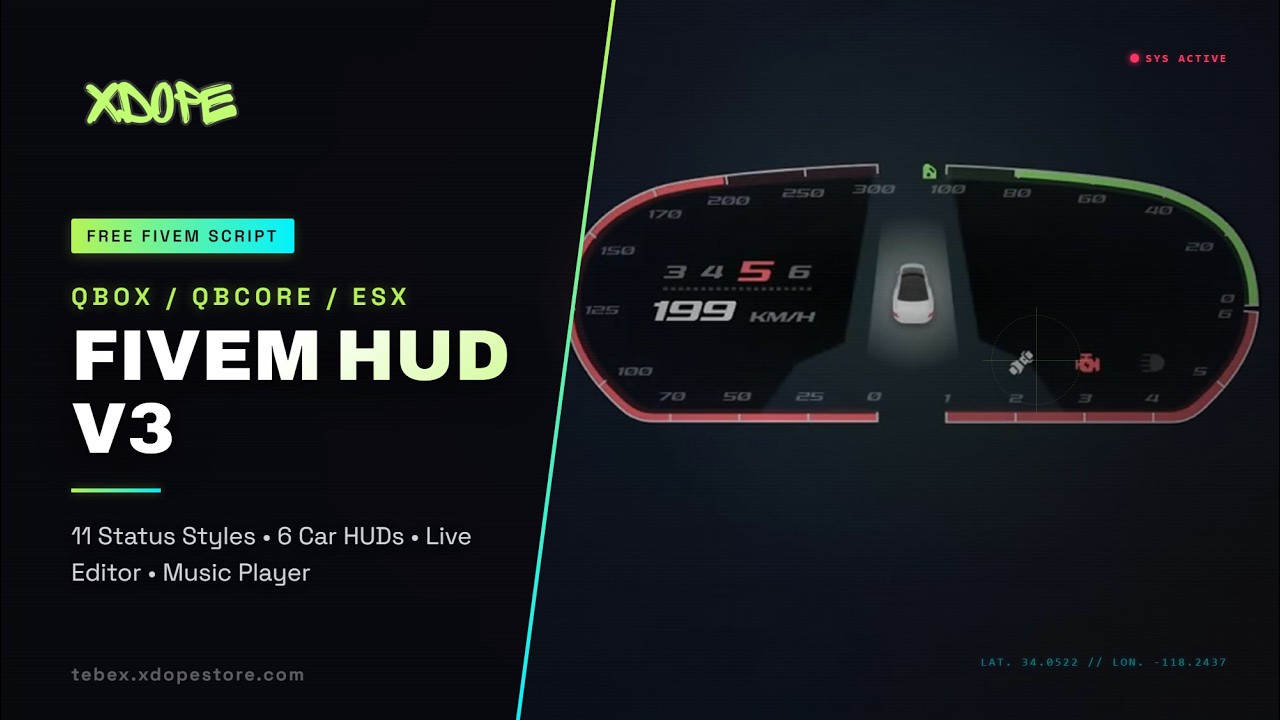
When a player enters a vehicle, XD FiveM HUD V3 transforms with a dedicated car HUD that is just as flexible as the status display. Six unique dashboard layouts are available — Modern, Aggressive, Sport,
Circle, Simple, and Simple v2 — ranging from a clean digital cluster to a full wraparound, racing-inspired instrument panel.
Each layout presents the information that matters during driving: current speed in either kilometres or miles per hour, RPM, fuel level, the active gear, turn indicators, seatbelt status, engine condition
warnings, and headlight state. The system also extends naturally beyond standard road vehicles, with built-in support for aircraft instrumentation such as altitude and heading, as well as watercraft
readouts including depth and radar. No matter what your players are piloting, the HUD adapts to give them the right information at a glance.
A Powerful In-Game Editor
One of the standout features of XD FiveM HUD V3 is its live editor. Instead of forcing players or administrators to guess pixel coordinates inside a configuration file, the editor lets users drag every HUD
element directly to the position they want, in real time. The layout is then remembered on a per-resolution basis, so a player’s carefully arranged HUD remains perfect whether they are playing on 1080p,
1440p, or anything in between. This level of control makes the HUD feel personal and removes a common source of frustration for both players and server staff.
Integrated Car Control Menu and Music System
XD FiveM HUD V3 includes a comprehensive vehicle control menu that opens with a single keybind. From this menu, players can manage their engine, doors, windows, lights, indicators, and seatbelt without breaking
immersion. Built into the same system is a YouTube-powered music player complete with proximity-based audio, meaning that music played inside a vehicle can be heard by nearby players at a realistic
distance. It is an elegant, self-contained entertainment feature that adds depth to everyday driving and social roleplay scenes alike.
Cinematic Mode for Clean Captures
For content creators, streamers, and anyone who values a clean frame, XD FiveM HUD V3 offers a dedicated cinematic mode. A single keypress hides the entire interface, leaving the screen free of clutter for
screenshots, trailers, and immersive roleplay footage. When the moment passes, the HUD returns instantly, exactly as it was.
Minimap, Compass, and Location Awareness
Navigation is handled with the same attention to detail as the rest of the script. The minimap can be displayed as either a square or a circle, with an optional loading animation, and can be configured to
remain visible on foot or only while driving. Alongside it sits an animated compass that displays live street names, paired with a nearest-postal-code indicator for servers running a postal map. To round
out situational awareness, the script can mark the closest banks, shops, clothing stores, garages, mechanics, and gun shops, helping players find their way around your city with ease.
A Fully Customizable Information Corner
The information corner gives your server a place to surface everything players need to know at a glance: the server name, in-game time and date, player identifier, live player count, current job, gang,
cash on hand, bank balance, and equipped weapon. Every one of these elements can be individually hidden, disabled, or repositioned, and several corner presentation styles are available. This makes it simple
to display exactly the information your server requires and nothing more, keeping the interface focused and uncluttered.
Voice Integration
XD FiveM HUD V3 ships with a built-in microphone indicator and voice-range display, with native support for both pma-voice and Salty Chat. Players can see at a glance whether they are transmitting and at what
range, adding a subtle but meaningful layer of feedback to voice-driven roleplay.
Broad Compatibility and Effortless Setup
Flexibility is central to the design of XD FiveM HUD V3 . It automatically detects and works with the Qbox, QBCore, and ESX frameworks, requiring no manual framework configuration. On the inventory side, it
supports ox_inventory, qs-inventory, item-based money, and legacy ESX money setups. It integrates cleanly with standard QBCore and ESX stress systems, and it recognises popular notification resources
including QBCore notifications, ox_lib, and okokNotify. Whatever your existing stack looks like, XD HUD V3 is built to slot in with minimal effort.
Performance and Localization
Server performance is treated as a first-class concern. XD HUD V3 includes Balanced and Performance modes, along with fully configurable refresh rates, allowing you to fine-tune how often each component
updates and keep resource monitor usage low even on busy servers. The script is also localized out of the box into eight languages — English, Arabic, Czech, Romanian, Italian, French, German, and Turkish —
making it accessible to a truly international audience.
Additional Features
Beyond the headline functionality, XD HUD V3 includes a number of thoughtful extras. A per-vehicle blacklisting system lets you disable the seatbelt, music, or car HUD for specific vehicle classes or
individual models. Every major feature is bound to a fully configurable keybind, giving you complete control over how players interact with the HUD. Small touches like these reflect the overall philosophy of
the script: powerful where it counts, flexible where it matters, and clean throughout.
Requirements
XD HUD V3 depends on ox_lib and xsound. Both are widely used, freely available resources, and the script will not function correctly without them installed and running.
XD FiveM HUD V3 — one HUD, endless customization, and completely free to use. Download it, add it to your resources, and give your players an interface they will genuinely want to keep on their
screen.


Reviews
There are no reviews yet.